
Navigating Intraday Value: A Detailed Guide to Market Profile Analysis on MT4
The Evolution of Charting: Why Price Alone Isn’t Enough
For decades, retail traders have relied almost exclusively on price-time charts—the classic Japanese candlesticks. While candlesticks tell us where price has been, they often fail to illustrate the significance of that movement. In the modern landscape of 2026, where algorithmic execution and high-frequency trading dominate the liquidity pools, understanding the ‘why’ behind price movement is more critical than ever. This is where the Market Profile indicator for MetaTrader 4 (MT4) becomes an indispensable tool in a trader’s arsenal.
Market Profile is not a traditional lagging indicator like a Moving Average or an RSI. Instead, it is a way of organizing data that reveals the dual-auction process of the market. Developed originally by Peter Steidlmayer in the 1980s for the Chicago Board of Trade, this methodology allows traders to see at what price levels the most time was spent, effectively identifying the ‘fair value’ of an asset during a specific session.
Understanding the Core Components of Market Profile
Before you look for a free download of a Market Profile indicator for MT4, it is vital to understand the data you are about to visualize. Unlike standard charts, Market Profile uses Time Price Opportunities (TPOs). Each TPO represents a specific point in time where the market traded at a specific price.
The Point of Control (POC)
The Point of Control is the price level where the market spent the most time during the session. It represents the fairest price at which both buyers and sellers were happy to transact. In 2026, professional intraday traders use the POC as a magnet; if the price is far from the POC, it is considered ‘extended,’ and if it is near the POC, the market is in ‘balance.’
The Value Area (VA)
The Value Area represents the price range where 70% of the day’s TPOs occurred. This is statistically significant because it shows where the majority of the market participants found agreement. The Value Area High (VAH) and Value Area Low (VAL) often act as dynamic support and resistance levels that are far more accurate than static horizontal lines drawn from previous peaks.

Why MT4 Still Needs a Third-Party Market Profile Indicator
MetaTrader 4 remains the most popular platform for retail forex traders due to its low resource consumption and massive library of custom tools. However, natively, MT4 lacks a built-in Market Profile charting capability. Standard MT4 charts focus on OHLC (Open, High, Low, Close) data, which ignores the distribution of time and volume across the price scale.
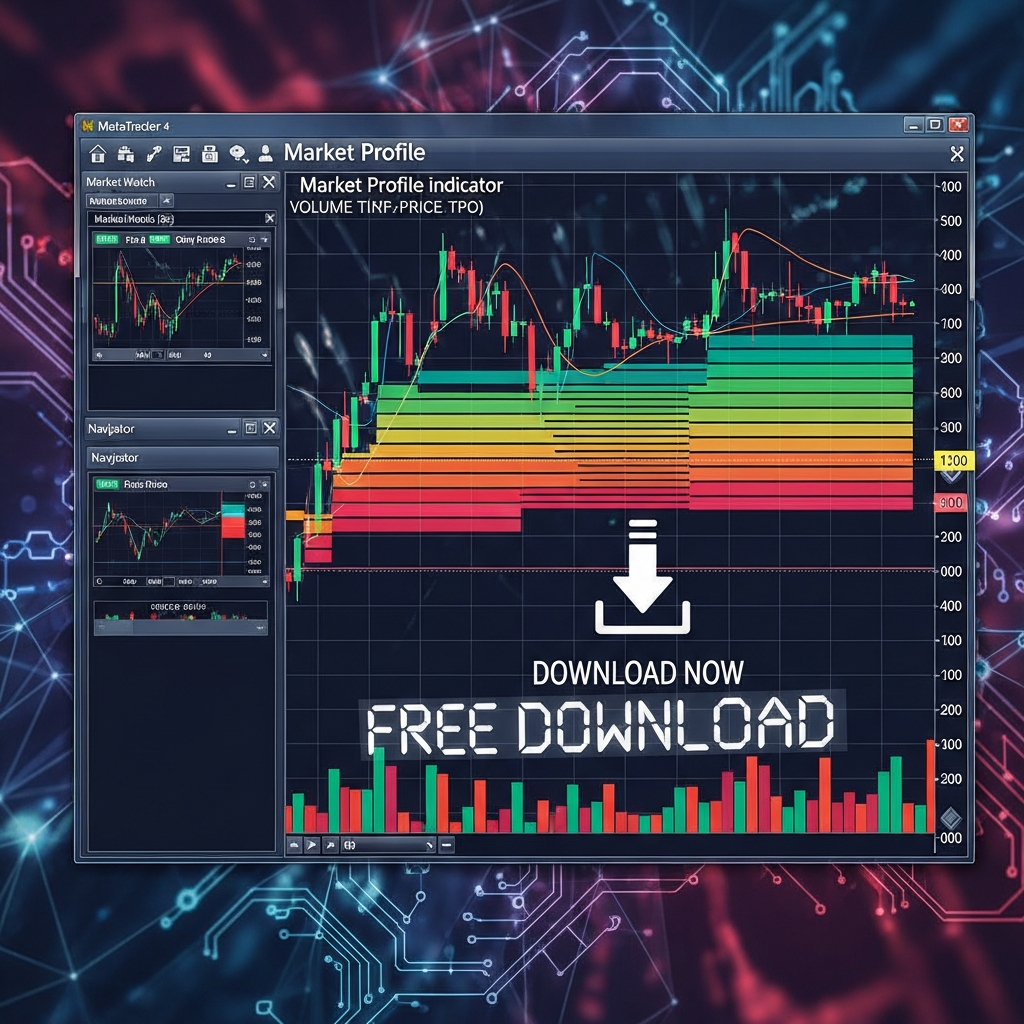
By downloading a high-quality Market Profile indicator for MT4, you bridge the gap between retail charting and professional institutional analysis. These indicators overlay the TPO profile directly onto your MT4 charts, allowing you to see the ‘belly’ of the market—where the volume is thickest—while still utilizing your favorite MT4 EAs or other technical tools.
Key Features to Look for in a Market Profile MT4 Indicator
Not all free indicators are created equal. When searching for a reliable Market Profile download, ensure the tool includes the following features:
- Customizable Session Times: The ability to set specific start and end times for the London, New York, or Asian sessions is crucial for accurate profile generation.
- TPO and Volume Integration: While traditional Market Profile is based on time (TPO), modern versions often include Volume Profile overlays, which show where the actual money was traded.
- Value Area Coloring: High-quality indicators will clearly differentiate the Value Area from the tails of the profile using distinct colors.
- Historical Data Support: You should be able to scroll back and see profiles from previous days to identify ‘Naked POCs’ (POCs that haven’t been retested yet).
How to Install and Setup the Market Profile Indicator
Once you have found a reliable source for your MT4 indicator file (usually in .mq4 or .ex4 format), the installation process is straightforward:
- Open your MetaTrader 4 platform.
- Navigate to File > Open Data Folder.
- Inside the folder, go to MQL4 > Indicators.
- Copy and paste your downloaded Market Profile file into this folder.
- Restart MT4 or right-click ‘Indicators’ in the Navigator window and select ‘Refresh’.
- Drag the indicator onto your desired currency pair chart (the M30 timeframe is recommended for standard TPO settings).
Trading Strategies Using Market Profile in 2026
Using the Market Profile indicator effectively requires moving beyond just ‘looking’ at the chart. You need a systematic approach to exploit the imbalances the profile reveals.
1. The Value Area Crossover
If the market opens outside the previous day’s Value Area and then moves back into it, there is an 80% probability (statistically speaking) that the price will traverse the entire Value Area to the other side. This is a classic ‘reversion to mean’ trade that institutional desks have used for decades.
2. Trading the ‘Tails’
Single prints, or ‘buying/selling tails,’ occur when the market moves rapidly away from a price level, leaving only a thin line of TPOs. These tails represent aggressive institutional intervention. In 2026, these areas act as strong zones of rejection. If price returns to a previous day’s buying tail, traders often look for long opportunities, anticipating that the institutions will defend their previous entry zone.
3. Initial Balance Breakout
The Initial Balance (IB) is defined as the price range of the first hour of trading. A ‘Normal Day’ sees the IB holding for most of the session, while a ‘Trend Day’ features a breakout of the IB early on. By monitoring the Market Profile indicator, you can see if the auction is expanding or remaining bracketed within the IB, allowing you to choose between trend-following or range-bound strategies.
The Importance of Context: Balance vs. Imbalance
The most important lesson a Market Profile indicator teaches is the state of the market. The market is either in a state of Balance (moving sideways, forming a D-shaped profile) or Imbalance (trending, forming an elongated profile).
In a balanced market, the strategy is to sell the highs and buy the lows of the Value Area. In an imbalanced market, you do not want to fade the move; instead, you look for the POC to migrate in the direction of the trend, confirming that value is moving along with price. This distinction prevents the common retail mistake of trying to pick tops in a strong trending market.
Common Pitfalls and How to Avoid Them
While the Market Profile indicator for MT4 is powerful, it is not a ‘holy grail.’ New users often make the mistake of over-complicating the data. Here are a few tips for 2026 traders:
- Don’t ignore the higher timeframe: A Market Profile on a 30-minute chart is insightful, but if it conflicts with a weekly supply zone, the higher timeframe will usually win.
- Mind the news: During major economic releases, the auction process is often disrupted by volatility that doesn’t respect TPO structures. It is best to let the profile ‘reset’ after high-impact news.
- Settings matter: Ensure your GMT offset in the indicator settings matches your broker’s server time. If the session start times are wrong, the entire profile will be shifted and inaccurate.
Why Professional Traders Prefer This Over Standard Indicators
Most indicators on MT4 are derived from price. If price goes up, the RSI goes up. This creates a feedback loop that doesn’t provide new information. Market Profile, however, provides a horizontal look at the market. It tells you the volume of time spent at a price. This is a lead indicator of sentiment. When you see price attempting to break out but the POC fails to move higher, you are witnessing a ‘divergence in value,’ which is one of the strongest signals of an impending reversal.
Summary: Taking the Next Step
The transition from standard technical analysis to Market Profile analysis is often the ‘lightbulb moment’ for many struggling traders. By downloading a free Market Profile indicator for MT4, you are essentially upgrading your vision from 2D to 3D. You stop seeing just a line on a screen and start seeing the auction process of the global financial markets.
Whether you are scalping the EUR/USD or swing trading Gold, understanding where ‘Value’ resides is the key to trading with the ‘smart money’ rather than against it. In the fast-paced trading environment of 2026, tools that offer clarity amidst the noise are the ones that ultimately define a trader’s longevity.
Conclusion
Finding a free Market Profile indicator for MT4 is the first step toward a more professional trading methodology. By focusing on the Point of Control, Value Areas, and the shape of the daily auction, you can identify high-probability setups that remain invisible to the majority of retail traders. Remember to practice on a demo account first to understand how the profile develops in real-time before committing capital to this sophisticated way of reading the markets.